Site in read-only mode
This site is now read-only following the release of MyBB 1.8 and the new mods site.
If you are looking for MyBB 1.8 mods please click here to visit the new mods site.
You can continue to download submissions for MyBB 1.6 and earlier here, however new submissions will only be accepted via the new mods site.
Userbar-System
Replaces the Postcounter with a dynamic Userbar
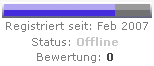
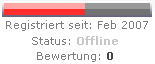
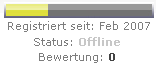
DescriptionReplaces the postcounter in the postbit with a dynamic userbar, which is altering its size in relation with the specific postnum.
Due to the first beta of this userbarsystem there are no admincp-settings implemented yet and any changes for the plugin must be made directly into the plugin-source. There will be AdminCP-Settings in the future versions, so just stay tuned ;)
Installation
- userbar/images/postbars -> ./images/
- userbar/inc/plugins/userbars.php -> ./inc/plugins/
simply activate the plugin within the AdminCP -> Plugin-Manager
Notes
If u want to add new userbars for special usergroups or want to edit the existing ones, just create a new JPG-file containing the Usergroup-ID of your specified usergroup as the filename.
Example:
Usergroup-Title: Supporters
Group-ID: 8
file in ../postbars: 8.jpg
After adding the new image the userbar should appear immediatly in the postbit, else try to refresh your browser-cache.
Userbar-Ranges
The following list showes the specific steps of the coloured bars related to the postnum:
0-10: white
11-50: grey
51-200: yellow
201-500: blue
501-1000: green
1001-2500: red
More informations and instructions can be found in the readme-files within the userbar-archive.
Screenshots
[preview=271]